Visual scripting
What It Is
HorizonCode is Horizon Engine's visual scripting system — a Blueprint-style node graph you author in the editor, no text required. It is the same idea as the material editor, pointed at gameplay logic instead of shaders: you wire nodes together and the engine runs the graph. Every graph in the project — widget logic, level scripts, the GameInstance, standalone classes — runs on one central runtime, so graphs share state and events and can reference one another.
Mechanics
How a Graph Works
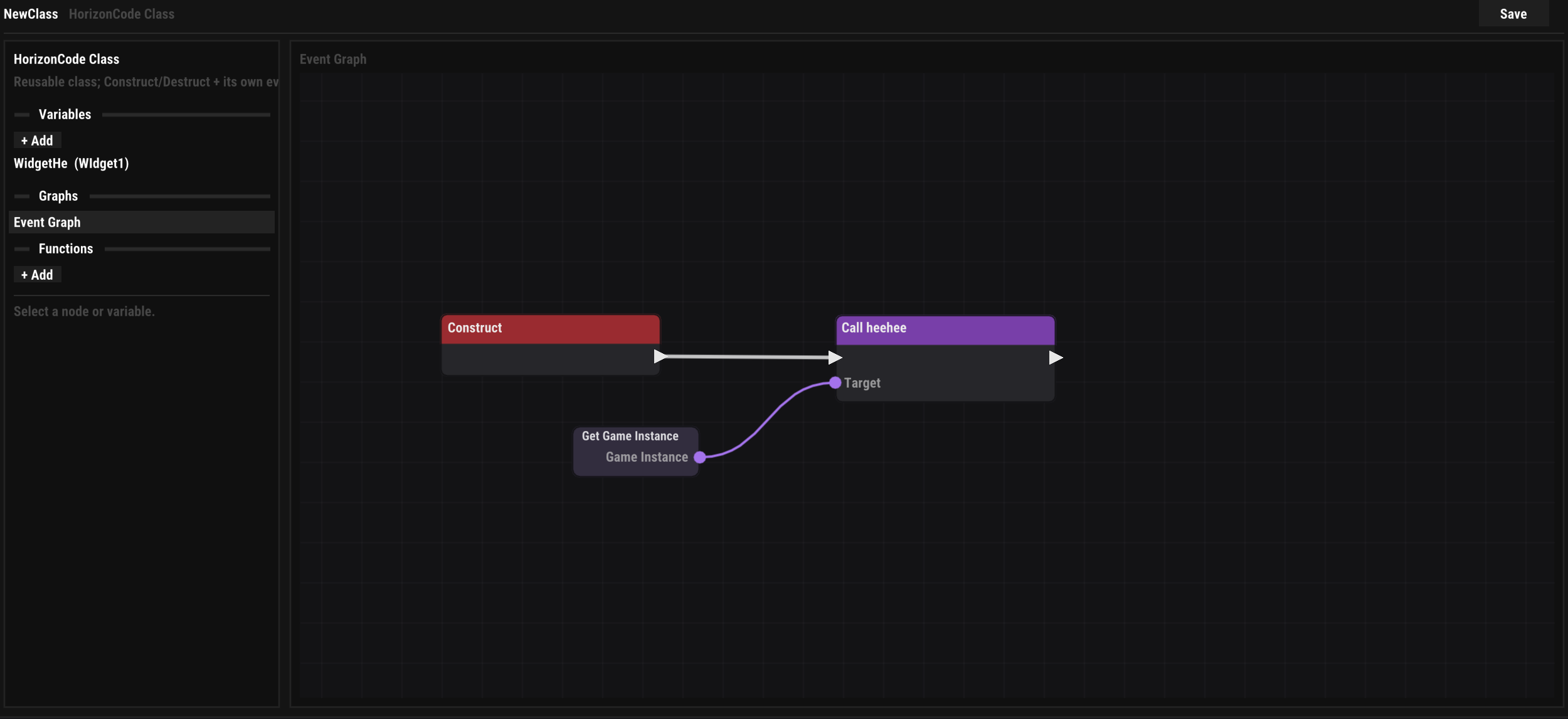
A graph is built from nodes connected by two kinds of wire. Execution links (white) define control flow — they run in order from an event. Data links are typed (Float, Bool, Int, String, Vec2, Color, Transform, or an object Reference) and are evaluated on demand when a node needs a value. Nothing runs until an event fires from the host — a button click, the frame tick, a level loading, an input action.
The canvas is the same one the material editor uses: right-click (or drag a wire into empty space) for the searchable add-menu, pan with the right mouse button, box-select with the left, zoom with the wheel. Bool/Int/Float/String inputs accept inline values directly on unwired pins.
With Preferences ▸ Feedback ▸ Success Sound on, dragging makes short, quiet sounds: a blip when a wire or a variable is picked up, a light tick over a pin it would connect to and a muted one over a pin it would not, a snap when it lands and a falling blip when the drop is cancelled or refused. Each sound plays once per event, never per frame, and moving a node stays silent. Drag and Drop Sound switches them off on their own; volume and mute are shared with the other feedback sounds.
Where graphs live
The Four Hosts
| Host | Lifetime · events |
|---|---|
| Game Instance | One app-wide class that outlives scene changes —
OnInit (before anything loads),
OnShutdown,
OnWindowFocusChanged. Reachable from
anywhere via Get Game Instance. Open it
under View ▸ Game Instance. |
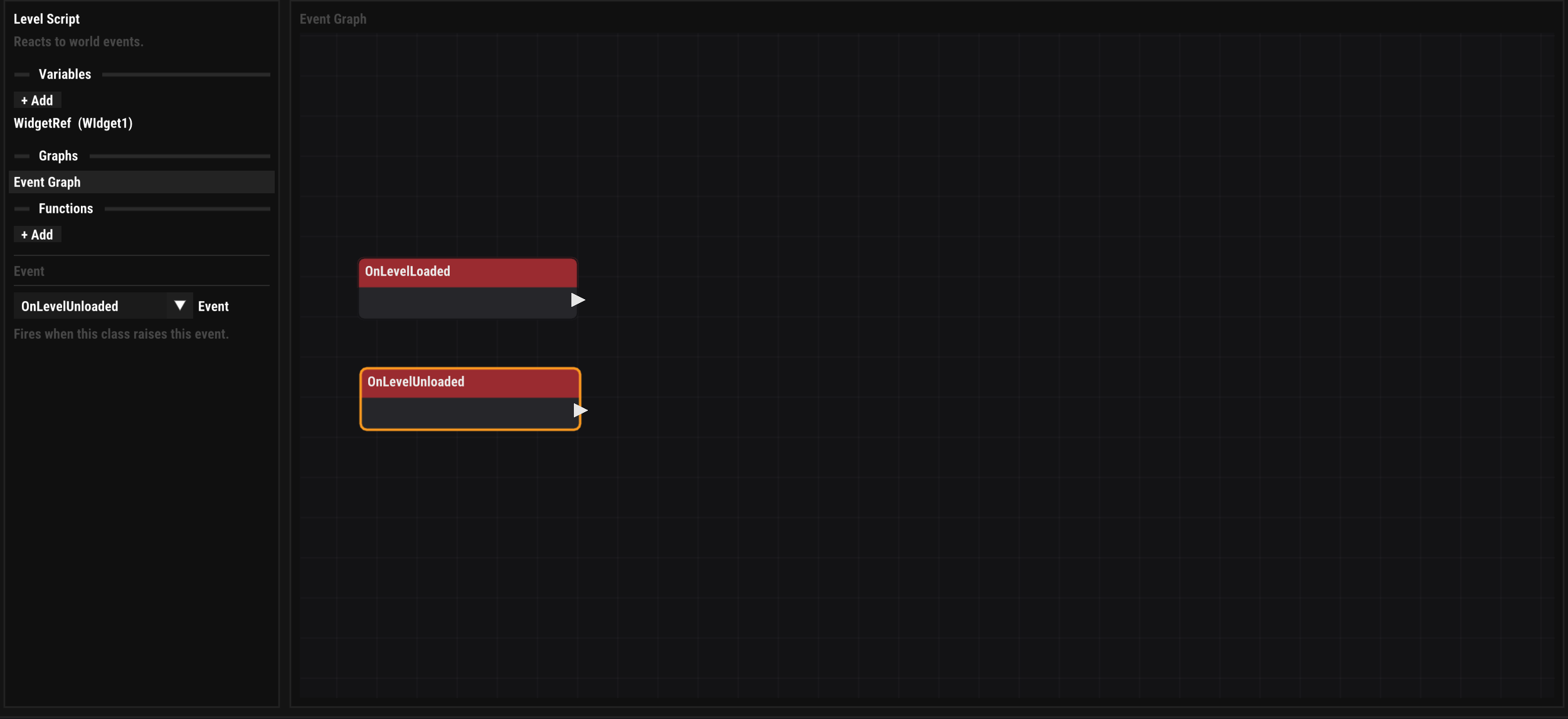
| Level Script | One graph per scene, saved inside the scene —
OnLevelLoaded,
OnLevelUnloaded. Open it under
View ▸ Level Script. |
| Widget graph | Each UI Widget's logic — Construct,
Destruct, Tick and one
event per element interaction.
UI → |
| HorizonCode Class | A standalone, reusable class asset —
Construct, Destruct plus
the custom events it declares. Instantiated with
Create Object. |
Structure
Variables & Functions
- Variables — named, typed, persistent state (single values or arrays), listed on the left of the graph editor with Get/Set nodes. Private to their graph unless marked public; each running instance gets its own copy, seeded from the declared defaults.
-
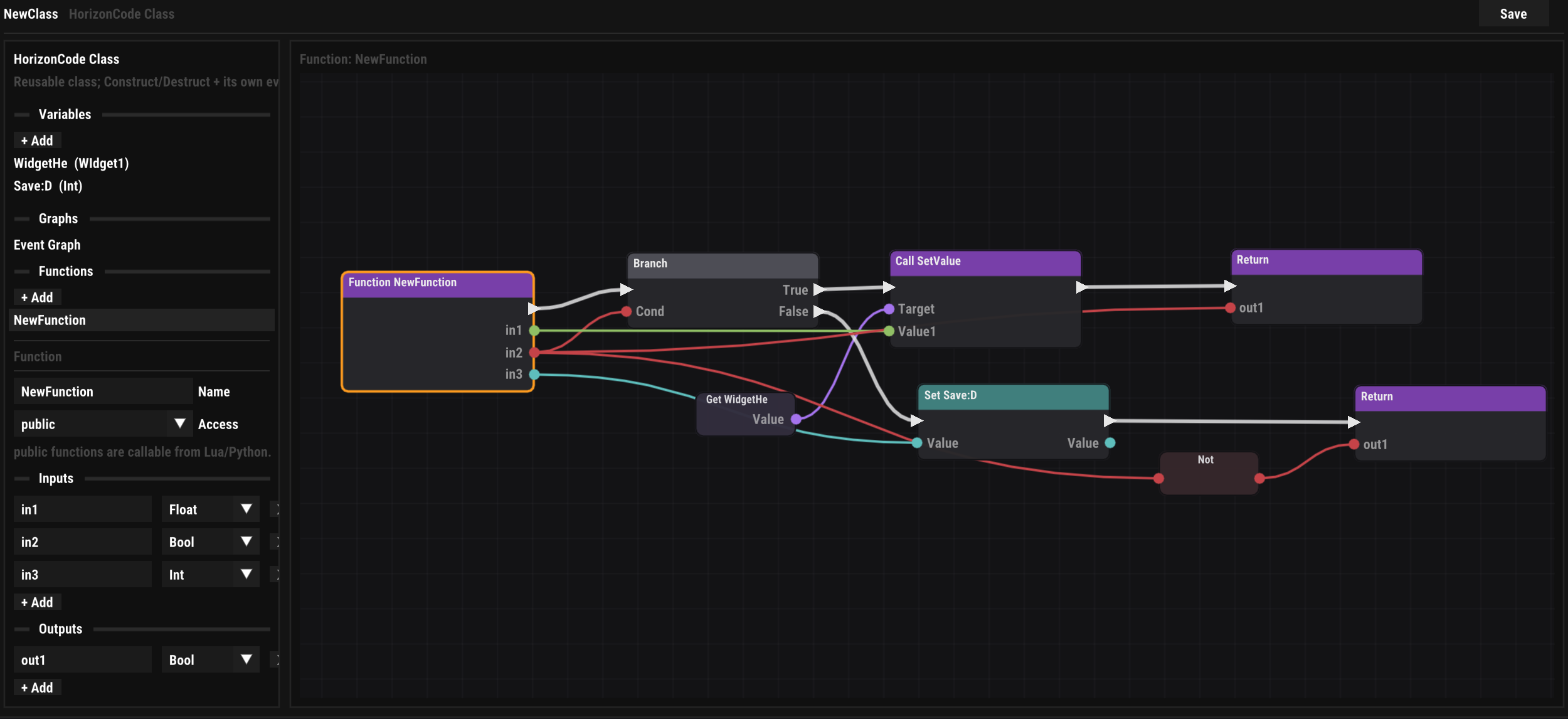
Functions — reusable sub-graphs with typed
inputs and outputs and an access modifier: public
functions can be called across a class boundary — from another
graph, or from Lua/Python via
callWidgetFunction; private ones stay internal. - Events — the entry points the host raises; a graph can also declare its own and emit them to listeners.
Composition
Talking Between Graphs
Because there is a single runtime, a graph can hold a reference to another running class and delegate to it, event-dispatcher style:
Bind Event— subscribe to another class's event through a reference; when it fires, your matching event runs.Emit Event— broadcast an event to everyone bound to this class.Call Function (Ref)— call a public function on a referenced instance;Get/Set (Ref)reads or writes its public variables.Get Game Instance/Get Self— the references you feed into the nodes above;Is Validguards references that may have been destroyed.
Toolbox
The Node Palette
The searchable palette groups nodes by category: Events, Flow (Branch, Sequence, For Each, Delay, Do Once, Flip Flop), Variables, Literals, Math, Logic, Strings, Arrays, Widgets, Objects & References, Debug, and the single generic Engine Call node that reaches every engine subsystem — entity, transform, physics, camera, environment, audio, scene streaming, save games and more (19 groups, ~220 functions; the Environment group alone exposes every sky and weather field as a get/set pair). Widget graphs add Get/Set Property for every element property.
Full reference: every built-in node and the complete Engine Call catalogue live on the HorizonCode Node Reference page.
Input-driven
Player Classes
HorizonCode projects can create Player
Controller and Player Character classes
(Content Browser ▸ HorizonCode Player). When play
begins, the engine spawns one instance of each and feeds it the
project's input assets: every
mapped action arrives as
Input.<Action>.Pressed /
.Released / .Axis events, alongside
BeginPlay and a per-frame Tick — the
natural home for movement and camera logic.
Stop and look
Debugging a Graph
A running graph shows itself: every exec node that runs gets an amber halo that fades out over a moment, so during play the graph lights up along its chain. A breakpoint turns that glance into a stop — execution halts on one node, the world freezes, and the Watch window shows what the run is holding.
Breakpoints
Right-click a node in any HorizonCode graph and choose Add Breakpoint. A red dot appears on the left edge of the node’s header, the gutter mark every text debugger uses. Only nodes the interpreter can stop at offer the item — nodes with an exec pin and the entries (Event, Input Action, Function Entry). A pure node is read, never run, so there is nothing to stop on. Remove Breakpoint takes one off; Remove All Breakpoints clears every graph in the project at once.
Breakpoints are saved per project in
Saved/Breakpoints.json next to the thumbnails and
the autosave, not in the asset — so they survive an editor
restart but never travel with a class into source control, a
collaboration session or a packaged build. Renaming or moving a
class asset leaves its breakpoints behind.
The stop
The next time a play session reaches a breakpoint, the run stops before the node executes. The world tick freezes (physics, scripts, animation, the other graphs), the graph opens on the node and frames it in yellow — a program counter, not a fading halo — and the Watch window opens by itself. In an application project, whose interface runs without a play session, the stopped run simply waits while the editor stays live.
The viewport’s transport well carries on from there. Continue (the Pause button, which reads as Continue while something is stopped) runs the stopped node, the rest of its chain and whatever loop it stopped inside, then lets the world tick again; the next breakpoint stops it again. Step Node runs exactly the stopped node and stops at the next one — into a called function, out to the caller, wherever the next node is. When the chain simply ends, the run is over and the world goes on. Step (one frame) lets a stopped run finish first: one frame means one whole frame, scripts included. Stopping play drops every stopped run.
Break on Next Node, in the Watch window while nothing is stopped, is a pause that lands on a node instead of between frames: the very next exec node any graph runs stops as if it had a breakpoint, once. Disarm it there if nothing comes.
The Watch window
View ▸ Watch shows what a stopped run is holding, in sections: the event’s argument, the function the run is inside of with its inputs and locals (the innermost frame first), the object’s variables, and the values the nodes before the stop produced. Every row is name, type and value; a filter narrows them, the row menu copies a value or the whole row, and Go to Node jumps back to the yellow frame. When two instances of one class are stopped on the same breakpoint, a run picker chooses which one to look at — Step Node always acts on the first. While nothing is stopped, the window shows the Game Instance’s variables live.
From the Console back to the node
Every line a graph writes to the Console — a Print, a warning, a runtime error — remembers the node that wrote it. Click the line and the graph opens on that node. A runtime error opens the Console by itself the first time it happens in a play session; Lua and Python errors name their script and line the same way.
Interpreted only. Breakpoints, the halo and the Watch window belong to the interpreter that runs graphs in the editor. A class compiled to C++ for a packaged build (see below) runs as native code and never stops.
Ship native
The C++ Compiler
HorizonCode is always interpreted in the editor
and in play-in-editor — that keeps iteration instant. When you
export with the Compile HorizonCode profile
toggle on, an export-time compiler walks every graph in the
project and translates each one into a native C++ class, built
with the host toolchain into
HorizonCodeGen.dylib / .dll /
.so and shipped beside the game.
Hybrid at runtime — nothing ever breaks
A graph that fails validation isn't a build error — it simply
ships interpreted, the reason is logged in the
per-class report (_hcgen/hc_report.txt), and the
rest of the export is unaffected. At runtime the game consults a
compiled-class table first for every class it spawns; a hit runs
native code, a miss (fallback, missing library, or an engine
version mismatch) runs that one graph interpreted, exactly as
the editor does. Compiled and interpreted instances live in the
same runtime with the same ids, so references, event binding and
cross-class calls work identically on both sides.
Proven identical
Behavioural parity is tested, not just intended: a contract suite runs a library of fixture graphs both interpreted and compiled and asserts equal traces — same call order, same arguments, same results, same final variable state. Event cascades are bounded identically on both sides (dispatch recursion depth 32, 256 fires per cascade) so runaway Bind/Emit cycles can't hang either mode.
Checking your graph
You don't have to export to find out whether a graph compiles — every graph editor has a Compile button that runs the same translation and either reports clean or highlights the offending node with a red halo.
Note: Compile HorizonCode requires a C++ toolchain on the exporting machine (the editor can install one — see Preferences). It defaults on for Shipping profiles and off for Development, so day-to-day iteration never pays a build cost.